


ANCEL V3 PRO Bi Directional OBD2 Scanner Car Diagnostic Tool Full System Scan
Couldn't load pickup availability

ANCEL V3 PRO 2026 Full System Automotive Diagnostic Scanner | Bi-Directional Control | 10+ Reset Functions | Android 10 OBD2 Tool | Lifetime Free Updates
The ANCEL V3 PRO is a newly launched 2026 full-system automotive diagnostic scanner designed for professional workshops, technicians, and advanced DIY users. Powered by an Android 10.0 operating system, this scanner delivers faster performance, broader vehicle coverage, and enhanced diagnostic accuracy to handle modern vehicles with confidence.
ANCEL V3 Pro OBD2 Scanner Bidirectional Scanner Full System with 10 Reset Service Auto Diagnose ABS Bleeding OBD2 Car Scanner
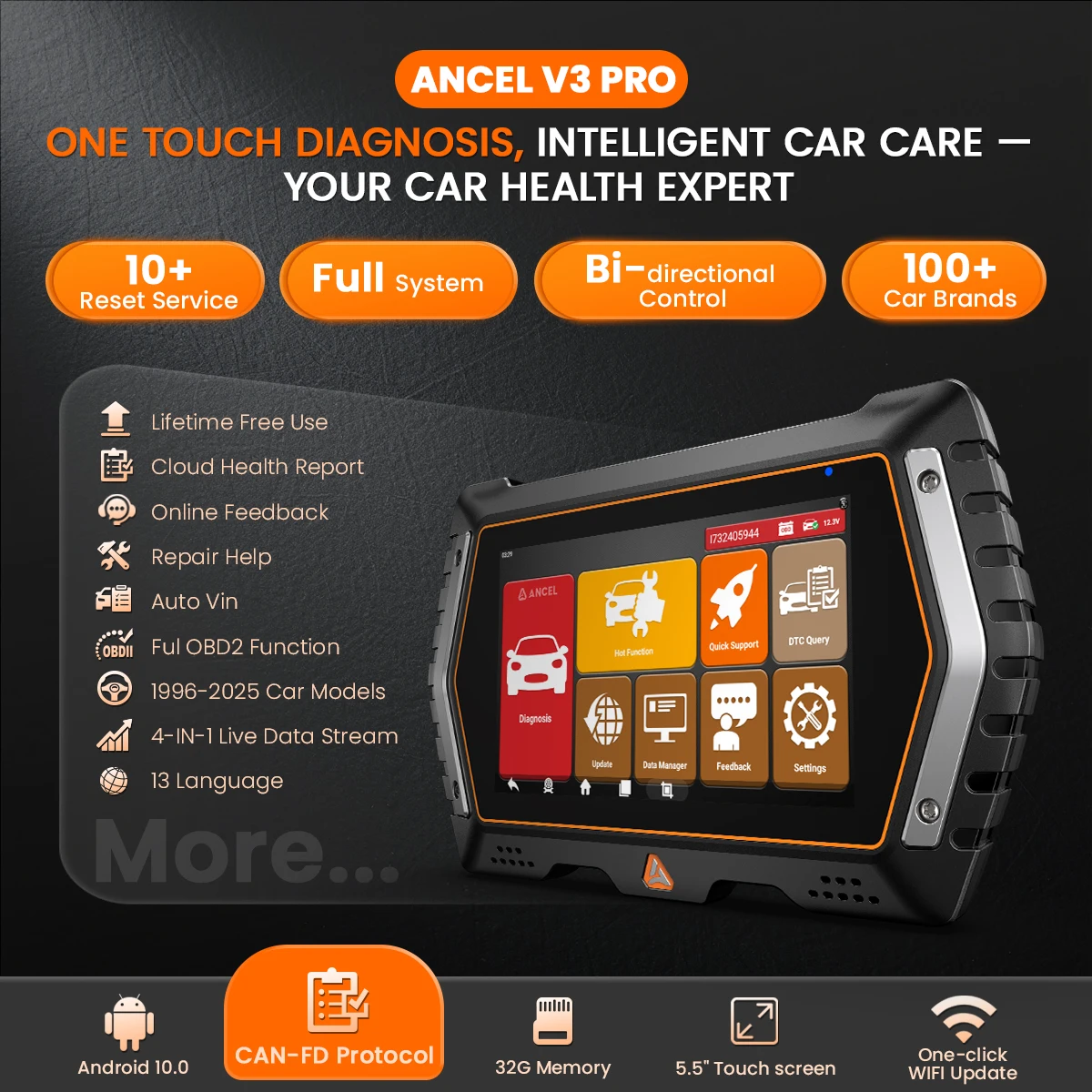
Why choose ANCEL V3 PRO?
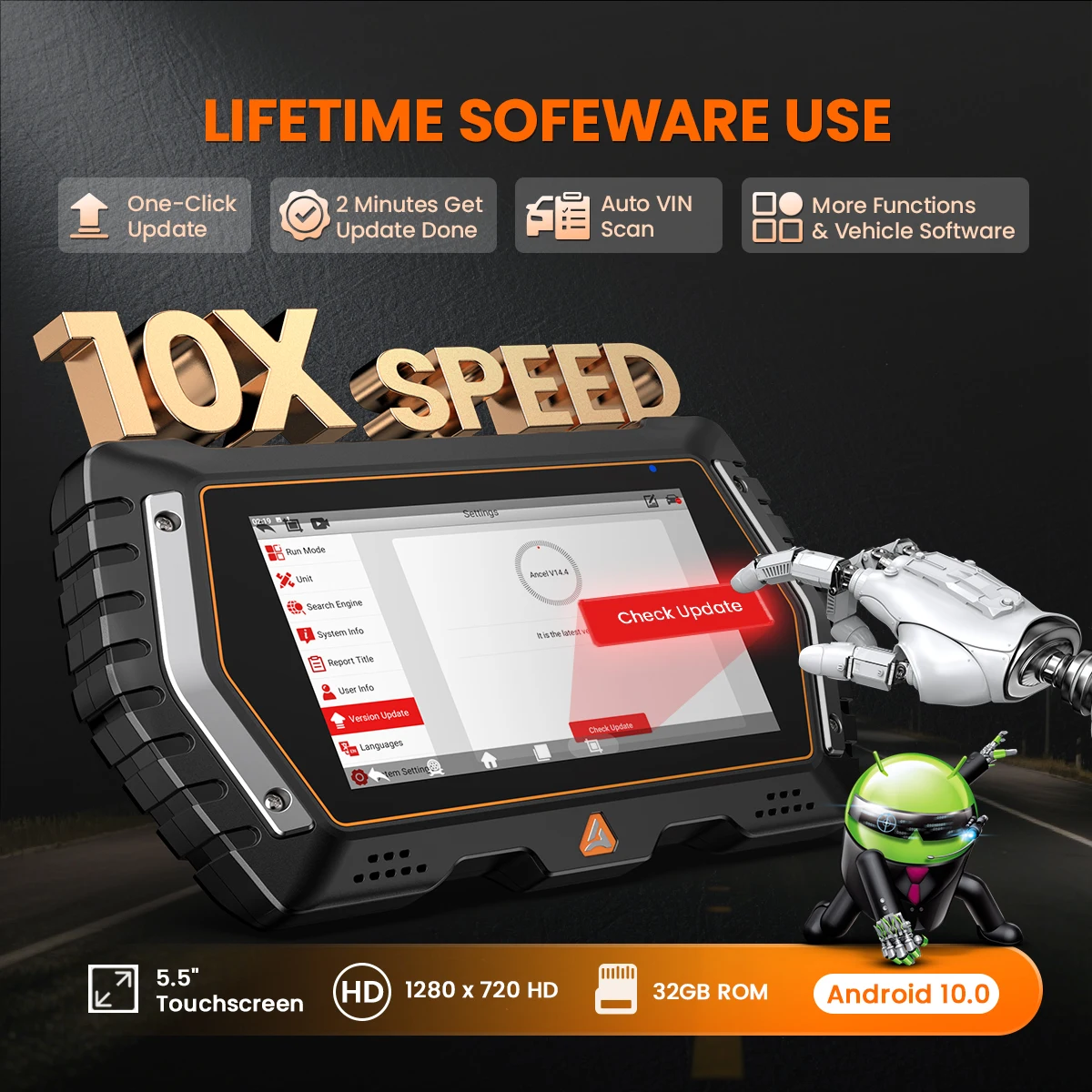
🚀 Significant upgrade compared to other scanners: Android 10.0 operating system: 5 times faster, a lot of new upgraded features, wider coverage, to meet the diagnostic needs of the latest models. Better performance, lower price!
⚡ 5x faster specifications: A133 ARM Cortex-A53, Quad Core at 1.5 Ghz, fast response!
💾 2GB+32G massive memory, 720P HD screen, and better diagnostic response; using this scanner is a breeze.
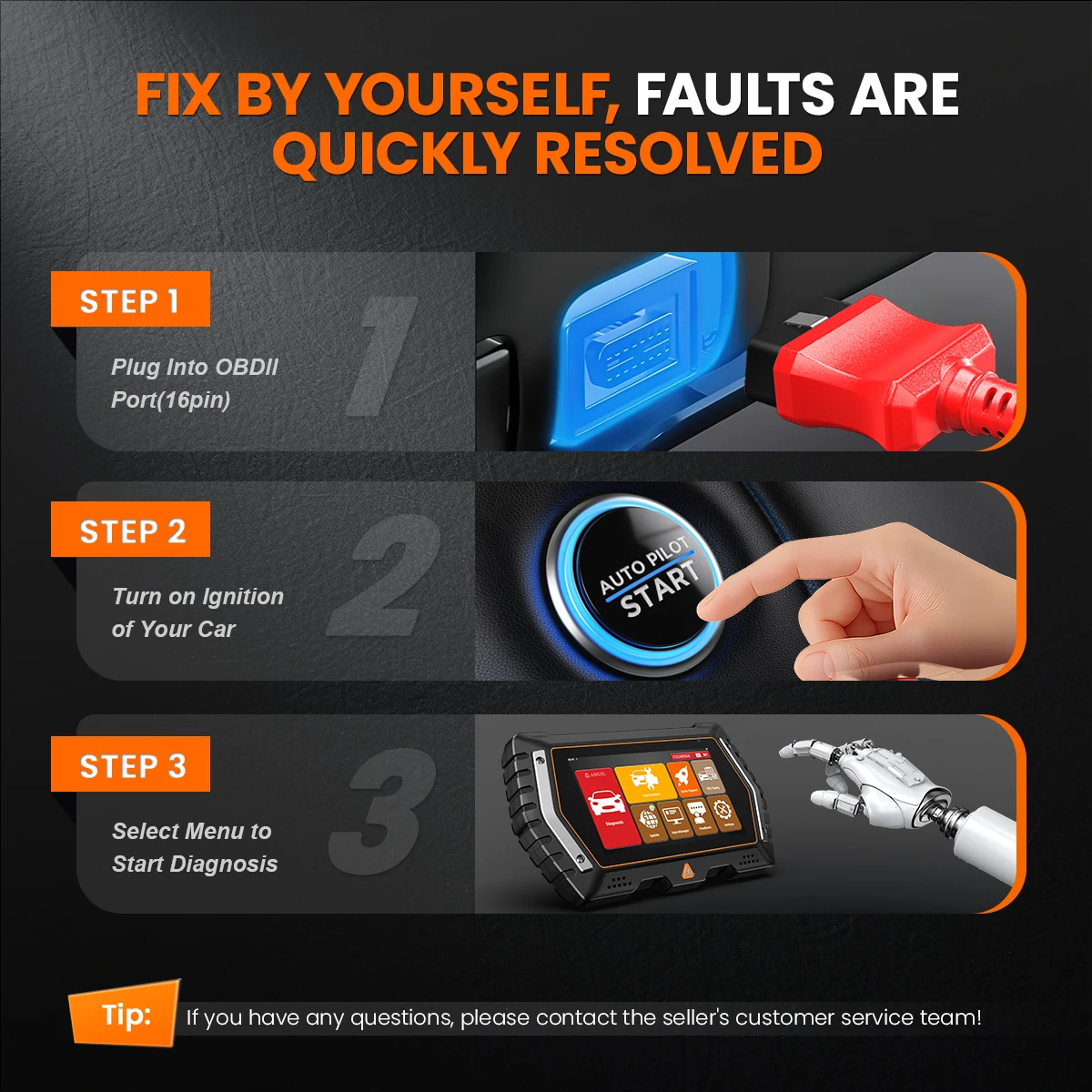
📶 Bluetooth wireless connection: The device supports connecting to Android phone Bluetooth for data transmission, and supports connecting to wifi for upgrading.
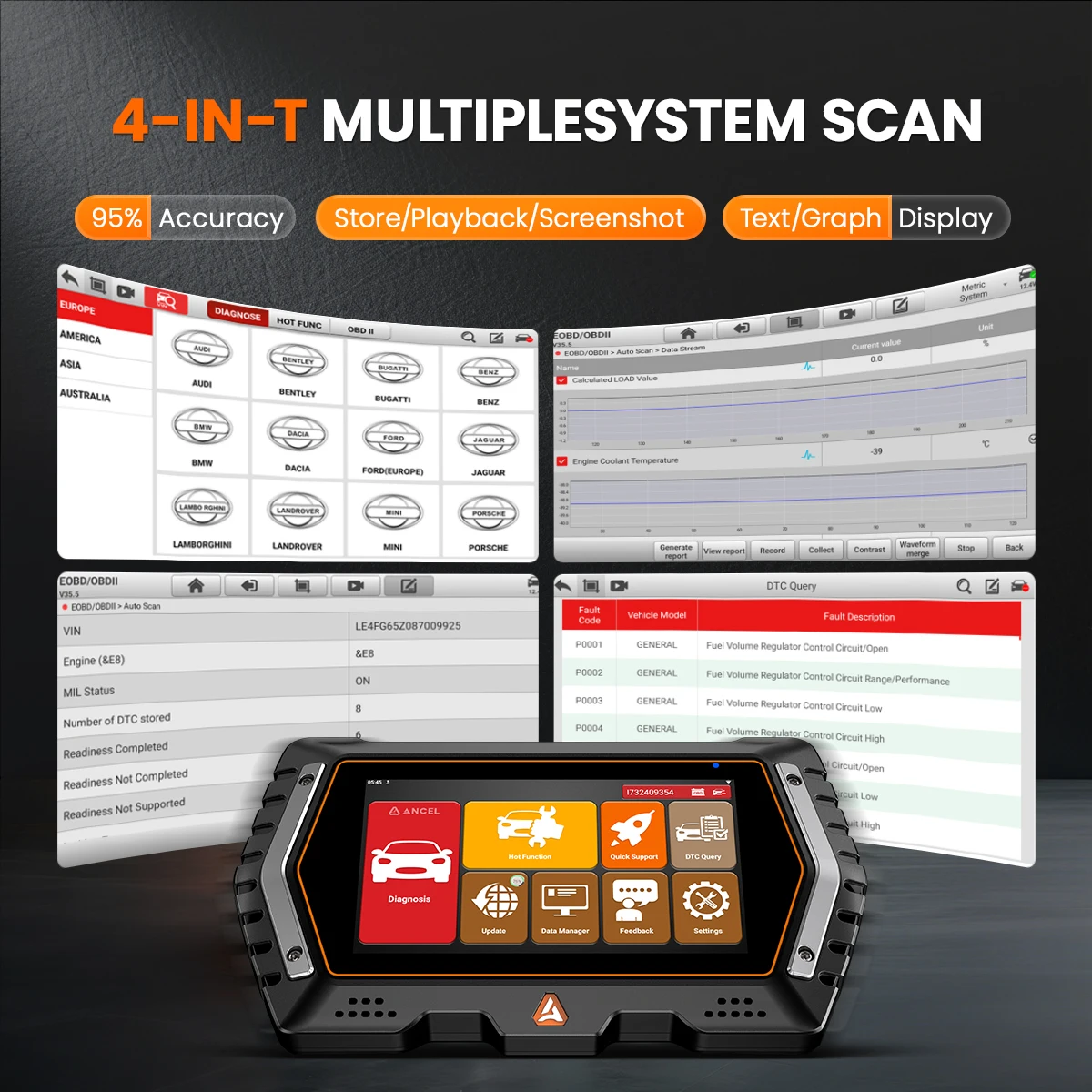
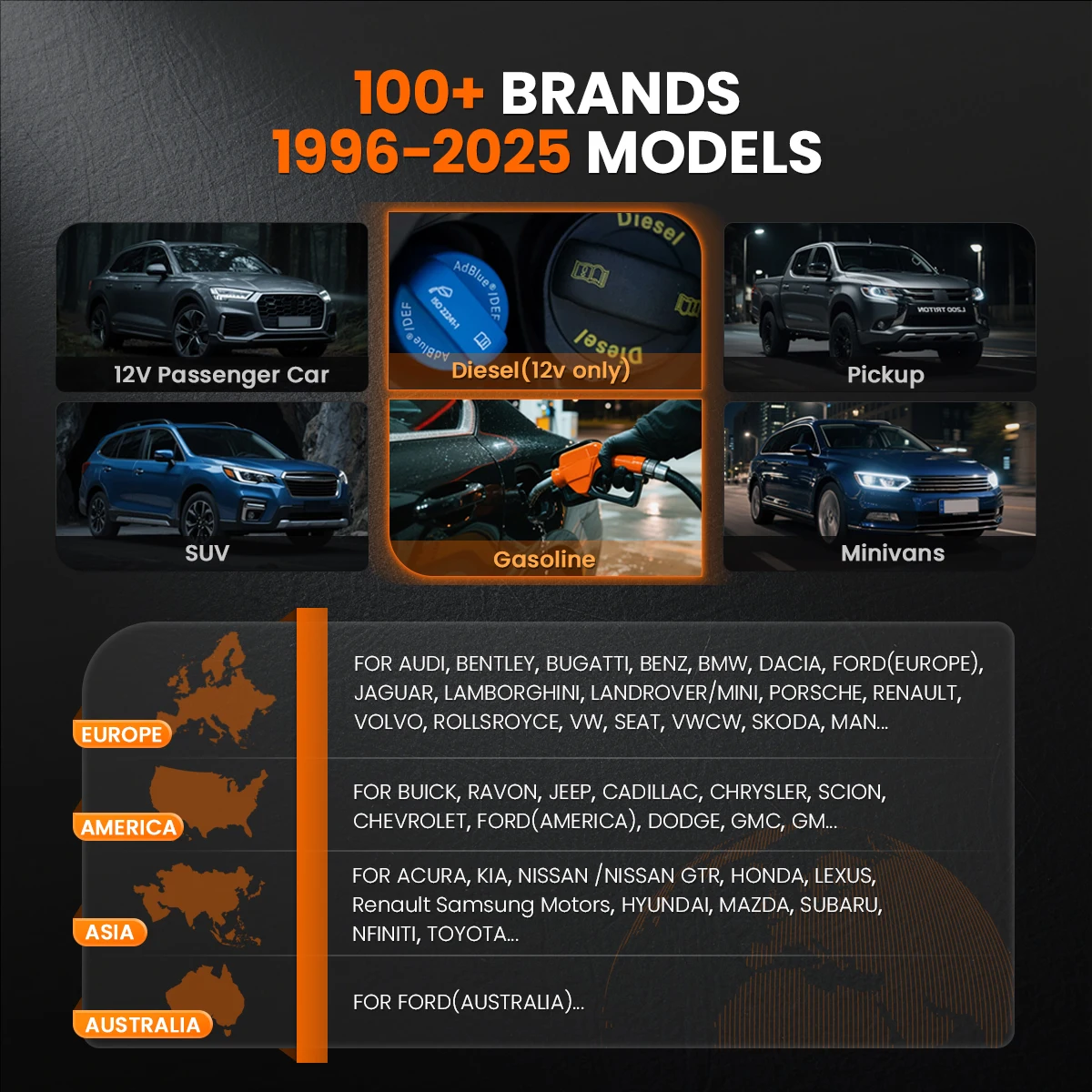
🌐 Complete database: Covers 99% of vehicles from more than 150 brands/more than 10,000 models (1996-2025), and can perform module reset, relearning, two-way communication, and all system diagnostics.
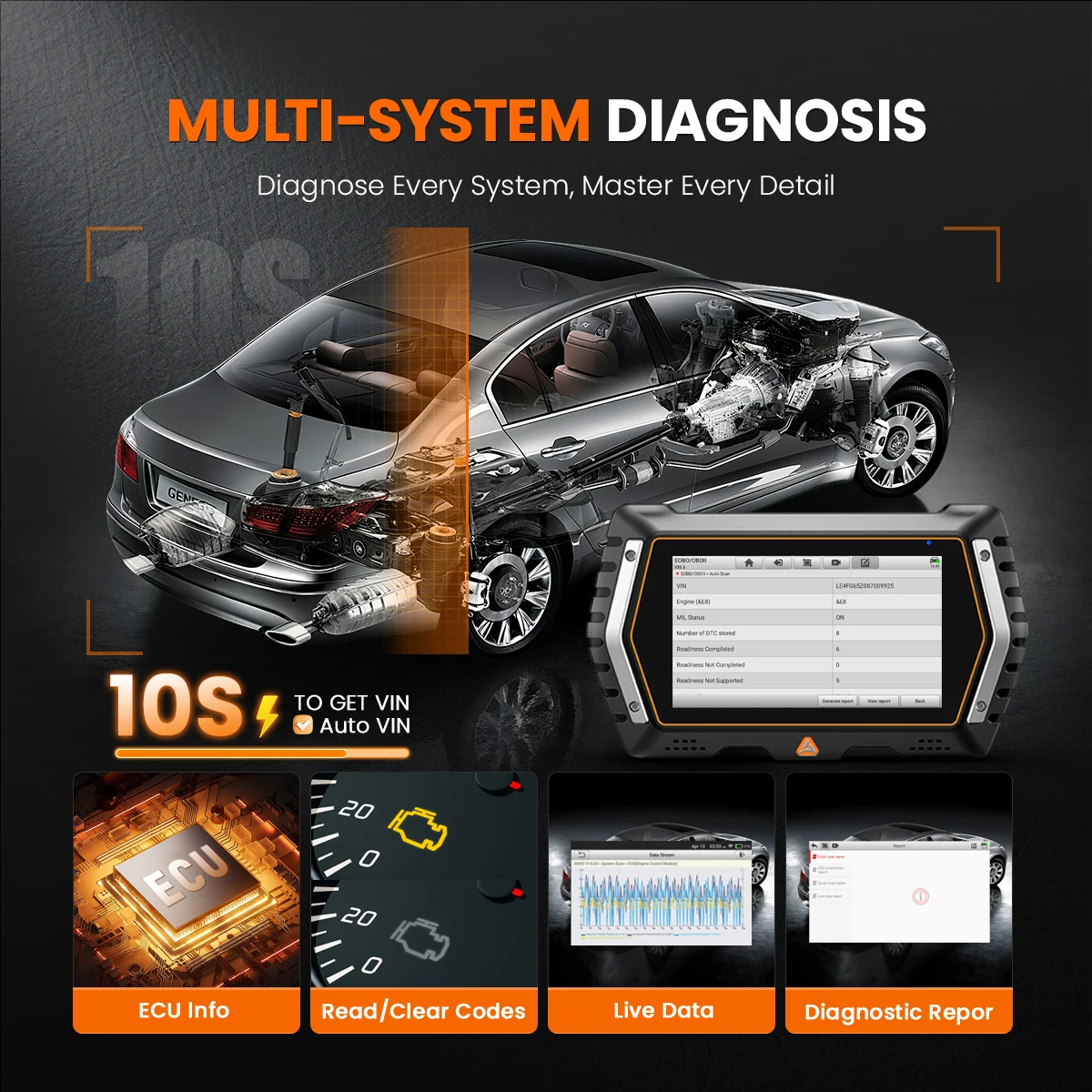
🔍 Factory-level full system scan: AutoVIN and AutoScan (2006 and later) automatically scan all available on-board ECUs and modules. Read, understand and clear generic and factory-specific fault codes with a single tap.
🧪 Fully featured active testing: Access all available vehicle-specific components (relays, injectors, coils, actuators, etc.). Get results quickly in 5 minutes.
🔧 10+ service functions: Equipped with all common reset and relearn functions, it can handle 99% of daily vehicle maintenance tasks in a busy workshop.
🌍 13 universal language menus: Simply set the menu to the language you are more familiar with, choose from English, French, Spanish, German, Italian, Russian, Portuguese, Japanese, Korean, Polish, Swedish, Czech and Chinese. Path: "Home -- Other modules -- Settings -- System -- Language and input -- Language".
✅ 2025 V3 PRO is a car diagnostic scanner for all car models, including 2 years of free software updates. Unlike snap-on obd2 scanners, it can be used continuously without updates.
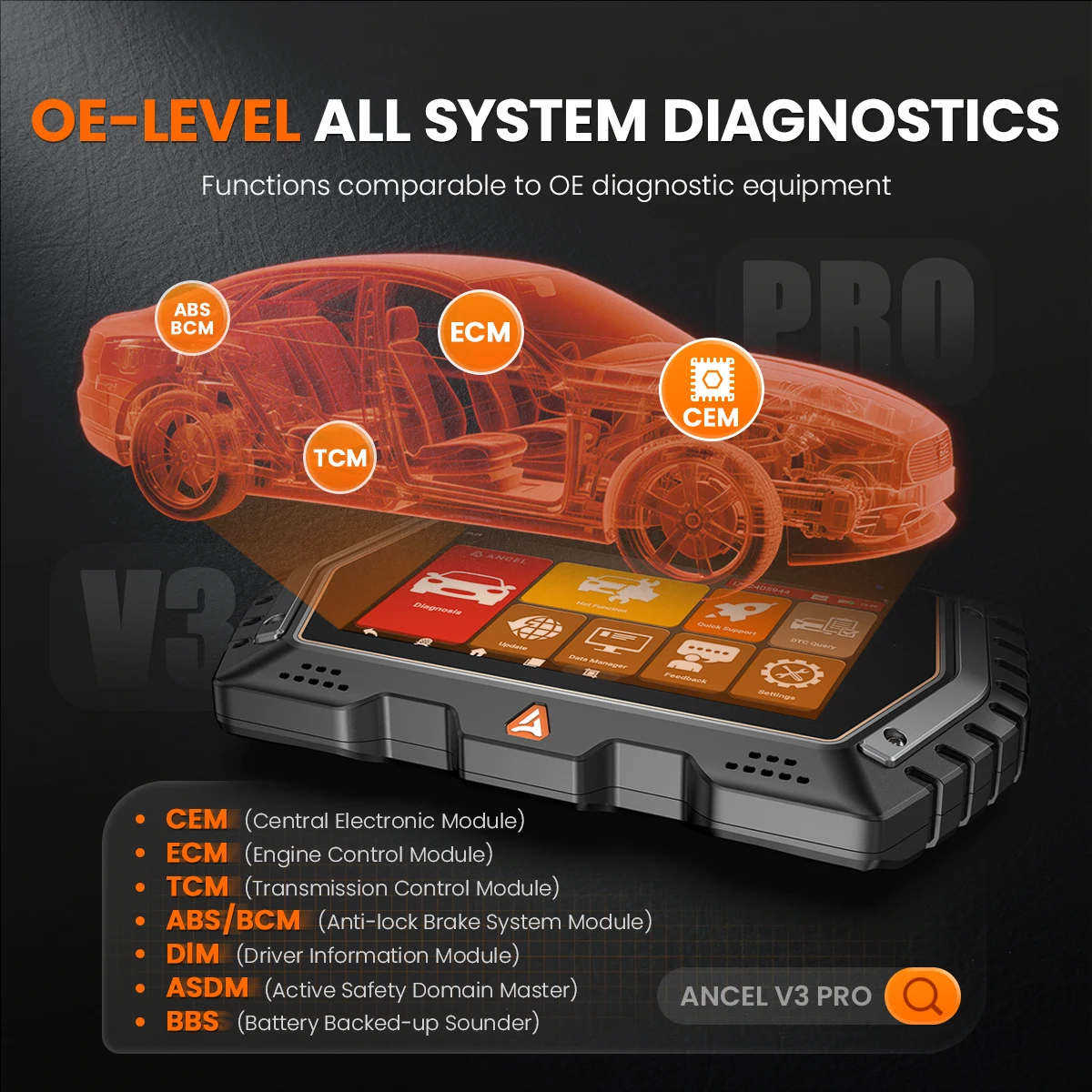
ANCEL V3 PRO Supports Full System Diagnostic
🌐 With ANCEL V3 PRO, you don’t need any specialized diagnostic tools that can only perform scans on limited systems. This car scanner diagnostic for all cars is an all-system diagnostic tool that means it can fully access all available systems and get insight into what may trigger the system issue:
📋 Complete Coverage – CEM (Central Electronic Module), ECM (Engine Control Module), TCM (Transmission Control Module), DIM (Driver Information Module), ASDM (Active Safety Domain Master), BBS (Battery Backed-up Sounder), IMS (Interior Movement Sensor), SWM (Steering Wheel Module), HUD (Head Up Display), SCL (Sterring Column Lo-ck Module), TACM (Transmission Actuator Control Module)… depending on vehicle’s make/model/year.
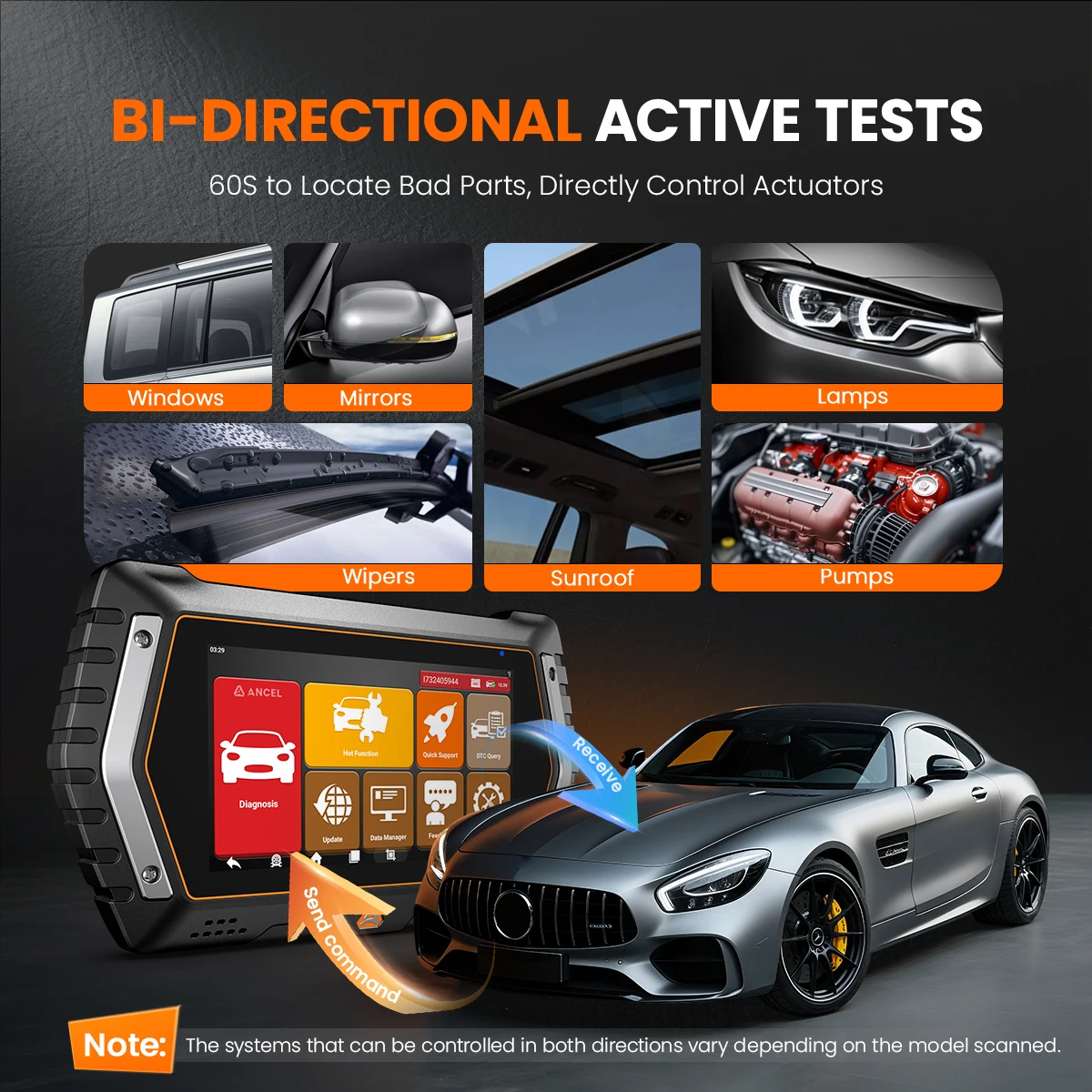
Action test
🔧Also Refer As – Functional Tests, Actuator Tests, Inspection Tests, System Tests or the like. By operating this scanner directly to send commands, you can test individual components for faults without using the vehicle’s own controls. This is great for identifying malfunctioning sensors, valves, and components. Quick and precise. 3X faster than testing manually.
🔧Who Is It For? – A must for any auto professional, whether you own a service or repair shop or are a DIY car enthusiast. An accurate and fast bi-directional diagnostic scan tool for all vehicles is designed to smooth your workflow.
B-enefits – can significantly reduce the diagnostic effort and easily see if the issue is happening in the controls or within the vehicle system.
🔧Complete Coverage – can active 99% vehicle-specific systems, subsystems, and components such as relays, coils, injectors, and actuators like “Adaptive Headlamp Adjustment, A/C Configuration, Window Wipers Settings, Doors Turn On/Off, Sunroof Switch On/Off, Mirrors Folding/Unfolding, Active Tests on Interior Lights, Inside Mirrors, Door Lo-cking, Steering Wheel Heating, Windows, Horn, ABS Pump Motor, Cooling Fan, Relays, etc.”
⚠️Note: Different models have different two-way control systems scanned, which varies from car to car
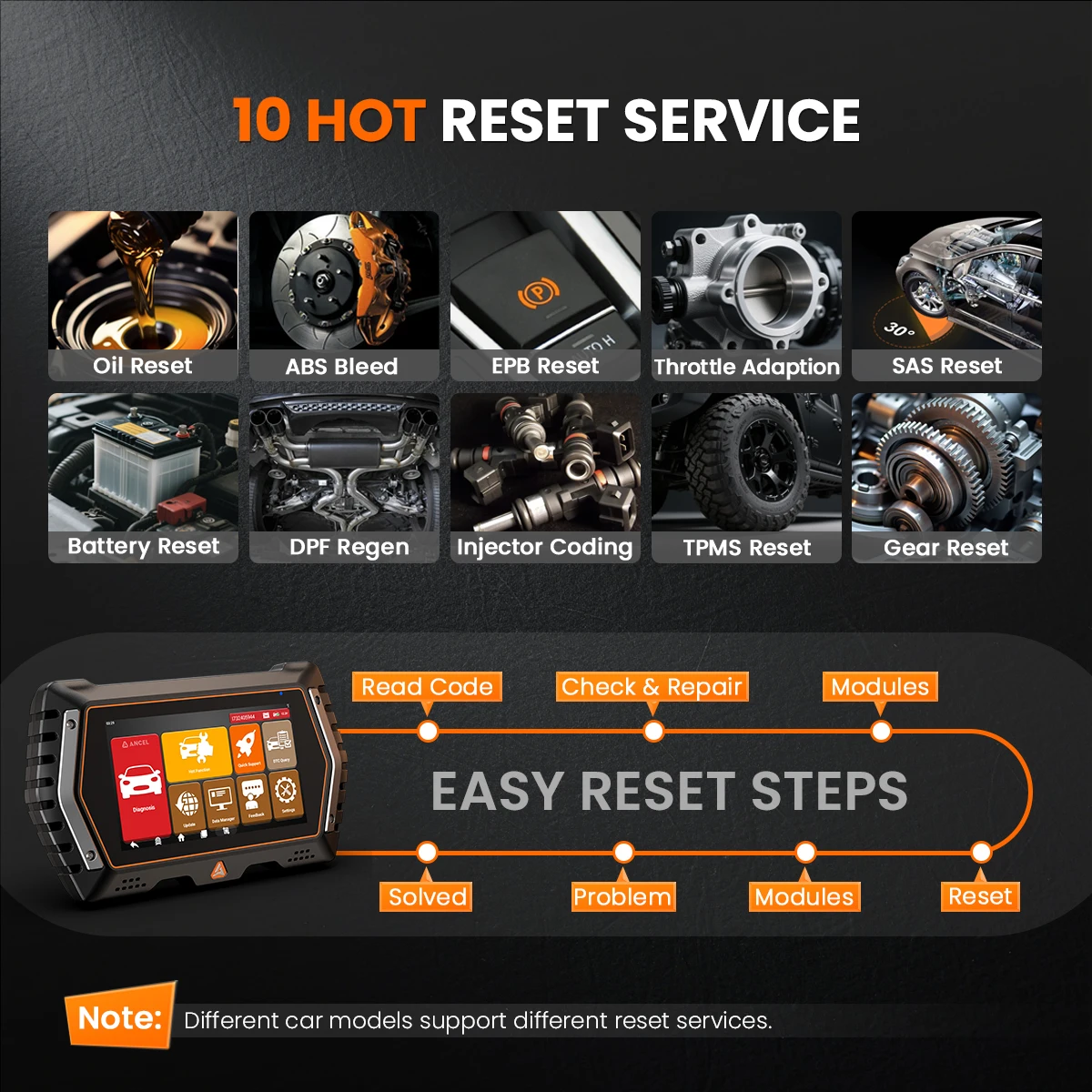
10+ Reset Service
🔧 OIL RESET
Oil reset (oil change reset, or oil life reset) is crucial for car drivers because regular oil changes are essential to maintain a vehicle's driving quality, prolong engine life. It's a breeze to reset the Oil Life Reminder and turn off the oil change light when the engine oil replacement is done.
⚠️ ABS Bleeding
Have you ever experienced that your brake pedal was gradually sinking to the floor or becoming loose after repalced a front and rear brake job (with all new calipers, brake cylinder, brake line, or brake fluid)? Check to see if there is air entering when the brake system was opened for item replacement. To obtain a firm brake pedal, the air must be removed. This ABS scan tool will assist in bleeding the brakes, cycling the pump and valves during the bleeding process. (*NOTE: Some vehicles only support manual bleeding.)
🔒 EPB Reset
Struggling to service cars with electric parking brakes? It can be quite a hassle without a scan tool that allows you to retract the electric parking brake calipers. This feature makes it much easier and quicker to reset the brake pad position after replacement.
⚡ Throttle Adaptation
Is your vehicle's throttle acting up, causing issues like sluggish acceleration, poor response, or an uneven idle? It is time to relearn the throttle's operating parameters and restore their optimal peformance. This scan tool can make initial settings to throttle actuators, so you'll have smooth driving after the throttle body has been replaced or cleaned.
🧭 SAS Calibration
After replacing the steering angle position sensor, this LAUNCH scanner for car CRP129E V2.0 can effectively perform SAS calibration, i.e. set the SAS angle to zero and turn off the steering wheel error light on supported models. You can easily set the steering to its default position and align it with the front tyres.
🔋 BMS Reset
Noticed your car system still treating the new battery like the old one? It's time to assess the battery charge state and register the replacement. Use this code scanner car diagnostic tool to reset on the monitoring unit of the vehicle battery, in which the original low battery fault information will be cleared and the battery matching will be done.
🔥 DPF Regeneration
Ever encountered issues with your D-P-F system, like excessive soot buildup? This diagnostic tool can manage D-P-F regeneration to clear the blockage through continuous bur.ning of the particulates captured in the filter. With LAUNH CRP129E V2.0, you can get rid of stored soot and even find faults in the D-P-F system with no hassle.
💉 Injector Coding
After the ECU or injector is replaced, LAUNCH CRP129E enables you to write the injector actual code or rewrite code in the ECU to the injector code of the corresponding cylinder so that the cylinder can better identify injectors to more accurately control or correct cylinder fuel injection quantity.
🛞 TPMS Reset
When replacing tpms sensors, this tpms scan tool can quickly look up the tire sensor IDs from the vehicle's ECU, reset tire pressure, and turn off the tire pressure MIL. Typically, most tire shops will charge you anywhere between 70 to 150 bucks for a TPMS replacement per single wheel. With this scanner, easily replace it by yourself and save that amount of money.
⚙️ Gearbox Reset
By clearing the learning memory of the transmission control unit (TCU), it can be re-adapted to the user's driving habits and solve problems such as shifting logic confusion, jerking, and dragging caused by long-term congestion or changes in driving style.
Other functions
Fault code query
Data stream storage and playback
Diagnostic feedback
Screen capture and screen recording
Diagnostic report sharing
Diagnostic history
System software, diagnostic software, firmware software upgrade
Settings
Supported protocols
ISO9141-2, ISO14230-2, ISO15765, K/L-Line, SAE-J1850 VPW,SAE-J1850PWM, ISO11898 (High-speed,Middle-speed, Low-speed and Single-wire CAN, fault-tolerant CAN), SAE J2610, GM UART, UART Echo Byte Protocol, Honda Diag-H Protocol, TP2.0, TP1.6, SAE J1939, SAE J1708
13 languages
13 languages English German Spanish French Polish Italian Portuguese Russian Czech Dutch Japanese Swedish Korean.
Hardware Parameters
Processor: A133 ARM Cortex-A53, quad-core 1.5 Ghz
Graphics: IMG PowerVR GE8300
OS: Android 10
Memory: 2GB LPDDR4 RAM & 32GB EMMC ROM
Display: 5.5-inch IPS multi-touch capacitive screen, 1280*720 resolution
Connectivity: Wi-Fi: 802.11 b/g/n/ac, supports hotspot/2.4/5GHz;
Bluetooth: 5.0; Type-C interface
Audio input/output: Input: N/A;
Output: Buzzer
Input voltage: 8V - 30V
Power consumption: About 800 mA (screen default brightness on, Wi-Fi on) @3.7V
Operating temperature: -10 to 50 °C (14 to 122 °F)
Storage temperature: -20 to 60 °C (-4 to 140 °F)
Operating humidity: 5% to 95% non-condensing
Dimensions: 201 mm (7.91 in) x 118 mm (4.65 in) x 34 mm (1.34 in)
Weight: 370 g (0.82 lb)
Package List
1* ANCEL V3 PRO host
1* Diagnostic Cable
1* Hard Carrying Case
1* TYPE C Charging Cable
1* User Manual
1* Activation Code